
Navigating Social Media Scheduling with My Marketing Assistant
Social Media Scheduling is like having a personal assistant for your online presence. It involves planning and posting content across various social media platforms at specific times, ensuring your posts reach the right audience when they’re most active. Now, why is this so crucial? Consistency is vital in the digital world. Regular, well-timed posts keep your brand on top of your customers’ minds, enhance engagement, and boost your online reputation.
And guess what? We’ve got you covered on all fronts! Our expert team can handle them all, whether it’s Facebook, Instagram, Twitter, LinkedIn, or any other platform. Here’s the fun part – to get started, you must ensure you’ve shared your login credentials. We have a hassle-free process to make it easy for you to sit back, relax, and watch your social media presence soar!
If you have someone on your team who is already creating the posts you want, but you want to hand off the administration task of scheduling them, this is the right task to choose. And as a bonus, you can cancel the subscription you have on your own scheduling platform. It is all covered with your plan at My Marketing Assistant.
Follow these next steps to see how you can schedule the perfect social media scheduling task to help lighten your load.
How to Submit the Perfect Social Media Scheduling Task
Here are a few tips for scheduling content for your social media account.
- Create a new task

2. Scroll down to the “Schedule/Post/Publish” section

3. Select the “Social Media Scheduling” task
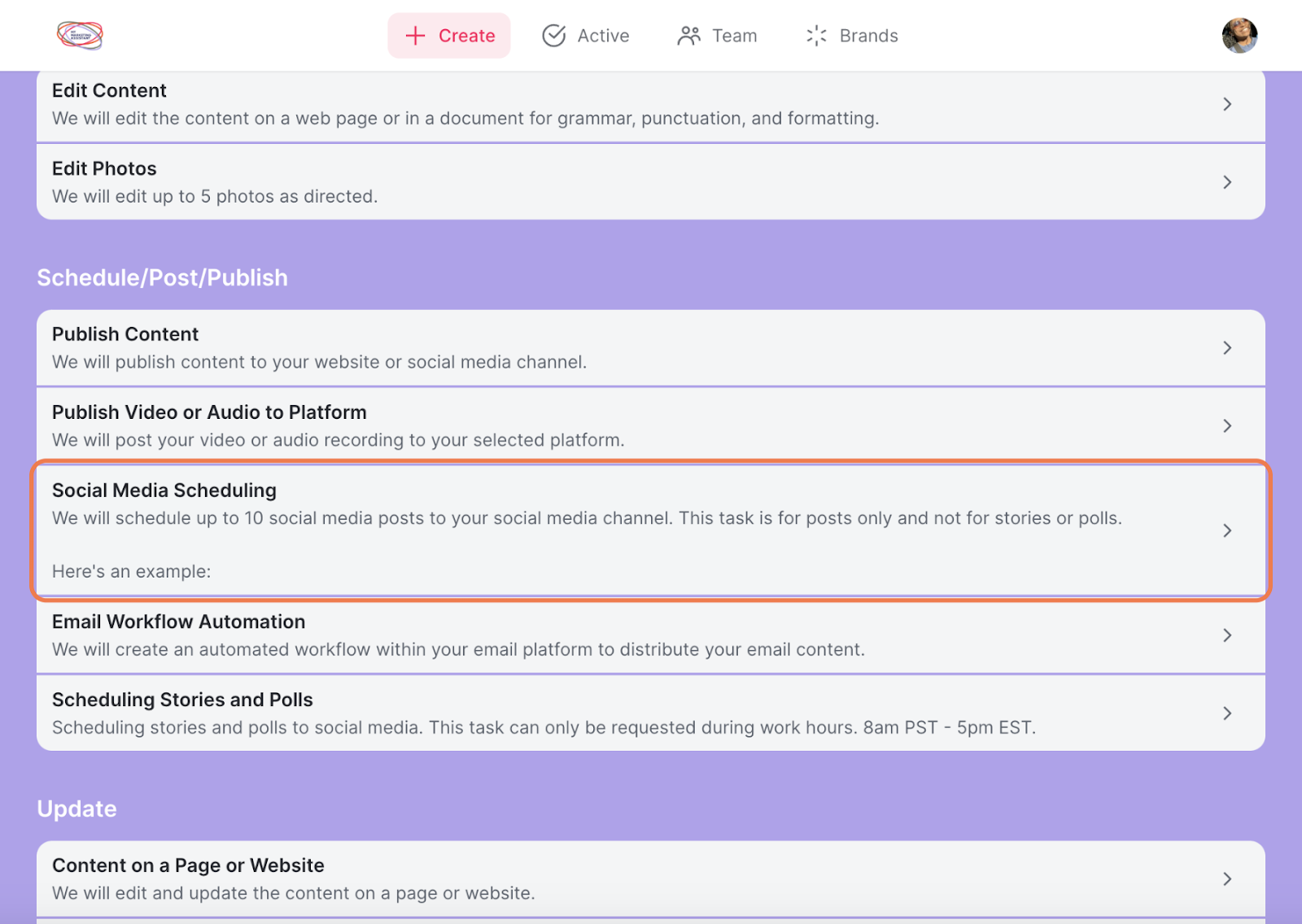
- Click Confirm and go to the next step.
After Submitting Your Task
Fill out the information about your task. Filling out this information will help our assistants understand your needs and wants for this task. For example:
- Fill out the description.
- Use this space to help our assistants navigate when to schedule your post and what specific times (if there are any) to schedule your post.
- Be sure to attach the link from the content you want to be scheduled so our team will be able to access it.
- NOTE: This does not apply to the content calendar creation task. Scheduling is already a part of the task creation.

- Select the preferred social media account you would like your content scheduled to.

- Do you have any other credentials necessary for our assistant to know to be able to schedule your post? If you do, insert it here.

- Upload A File
- If you have any images you would like scheduled, upload them here so our assistants can be sure to include them.

- Fill out Target Audience box

- Select your Brand Style


7. Fill out the additional notes section if there is anything else you would like us to know before scheduling your task.

That’s it! You did it.
You can now successfully submit the perfect social media scheduling task!
What’s Next
Once your task is submitted, you will be notified as soon as it is in progress. During this step, an assistant has begun working on your task. Depending on the selected tier, this may take 24 to 48 hours or less (Monday through Friday).